
Begin with one complete vertical slice, not a hundred empty components.
A useful first Sights site has identity, one theme, a small public route graph, real content, a few proven components, complete static essentials, and a browser-tested build.
Build your first Sights route
The current product is developed as an installable local package and a thin Astro consumer. The sequence below is the canonical authoring model.
Start with the repository boundary
A Sights consumer owns its identity, approved content, semantic theme, local assets, deployment configuration, custom components, and site-specific tests. The sights package supplies reusable schemas, components, rendering, validation, static essentials, generated authoring contracts, and review routes.
During local platform development, the consumer uses an ordinary package link:
{
  "dependencies": {
    "@firstandthird/sights": "link:../sights"
  }
}
That sibling layout is deliberate. It proves the same package boundary a separate client repository uses.
Read the generated contracts
Before editing content, open .sights/agent-guide.md. It is generated from the manifests and schemas used by the active Sights dependency, so it documents the live component catalog rather than a remembered prompt.
The .sights/ directory also contains:
- the page and theme schemas;
- one schema per built-in and site-owned component;
- component, template, collection, and primitive catalogs;
- examples, semantic variants, accessibility requirements, and runtime declarations.
Use this decision order:
- Choose an existing component by intent.
- Reuse a proven page pattern.
- Use a registered record template where the content repeats.
- Add a site-owned component only when the catalog cannot express a real need.
Configure the site
Trusted site.config.ts code defines the site-level contract: name, canonical URL, locale, trailing-slash preference, redirect adapter, navigation, footer, organization identity, internal review routes, and any custom components.
The Astro integration provides the standard content route plus generated 404.html, robots.txt, sitemap.xml, a browser-readable sitemap stylesheet, and llms.txt. Consumers can replace a route explicitly, but they should not copy package-owned entrypoints into src/pages.
Define the theme
The required theme.json supplies semantic values for:
- page, surface, text, brand, accent, border, focus, and inverse roles;
- heading and body families, local font faces, type scale, and line height;
- spacing scale, section rhythm, and viewport gutter;
- reading and wide container widths;
- small and large radii;
- optional motion duration, distance, easing, stagger, and reduction.
Pages never select literal colors, type sizes, gaps, classes, or inline styles.
Add the first page
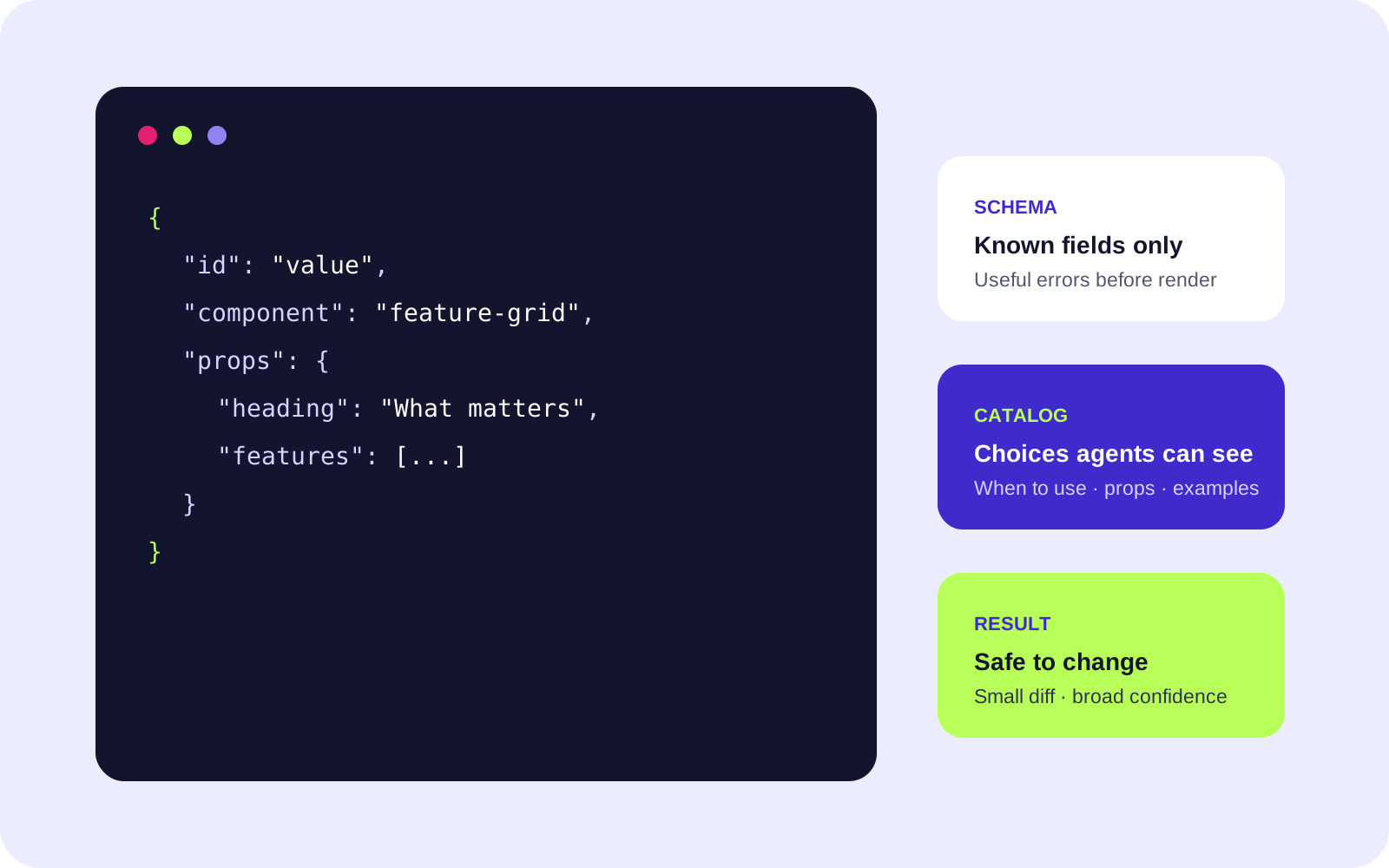
Create one file below content/pages/ with a unique id, explicit canonical route, default shell, concise SEO title and description, and at least one section.
{
  "$schema": "../../.sights/schemas/page.schema.json",
  "schemaVersion": 1,
  "kind": "composed",
  "id": "home",
  "route": "/",
  "shell": "default",
  "seo": {
    "title": "A clear page title",
    "description": "A useful search description of the page."
  },
  "sections": [
    {
      "id": "introduction",
      "component": "hero",
      "props": {
        "eyebrow": "Useful context",
        "heading": "One clear opening statement",
        "body": "Structured copy stays separate from markup and styling.",
        "layout": "text-only"
      }
    }
  ]
}
Section ids are stable authoring identifiers. Add "anchor": true only when the exact id should become a public URL fragment. Published fragment ids are part of the site's URL contract and should not be renamed casually.
Use local, dimensioned media
Component media values use root-relative paths below public/ plus intrinsic width, height, and meaningful alternative text. Use an empty alt only when the adjacent content provides the same meaning or the image is truly decorative.
Remote images are not accepted by normal page or Markdown contracts. Import external source material during authoring, review its license and crop, then commit the approved local asset.
Validate early
Run the cheapest useful check as soon as the route exists:
pnpm validate
The validator checks more than JSON syntax. It resolves component props, templates, collections, routes, internal links, public fragments, breadcrumbs, local files, social images, and visibility rules across the complete site graph.
Then build the production output:
pnpm build
The consumer build runs validation, refreshes generated docs, checks Astro and TypeScript, produces the static site, generates host redirect artifacts, and audits the result.
Run the complete consumer gate before handoff:
pnpm check
That adds formatting and the Chrome, Firefox, and WebKit browser suite.
Inspect the result
Enable the Sights review routes in astro.config.mjs to receive the internal component catalog, themed and neutral component previews, theme overview, typography and spacing foundations, and primitive reference. These routes remain noindex and stay outside navigation, sitemap, and llms discovery.
During astro dev, append ?sights=json to a public content route to inspect the exact validated page model and public configuration used by the renderer.
Keep capability boundaries honest
Static content is the default. A section may opt into a documented motion preset, a navigation dropdown may load one shared shell module, and a site-owned interactive component may declare one isolated client runtime.
Do not put handler code, script URLs, secret names, arbitrary endpoints, or executable expressions in page JSON. The current product slice does not ship production server actions; when that capability lands, it must remain registered, typed, protected, host-supported, and visible in generated output.
A page is finished when the system agrees—not when the hero looks good.
Choose the smallest safe next move.
Should I add a new component for the first page?
Usually no. Start with the generated catalog and compose the page from existing intent-based sections. Add trusted code only when a real content or interaction need remains unexpressed.
Where do design changes belong?
Site-wide identity belongs in the validated theme. A repeated structural difference may become a semantic component variant. Page JSON never carries CSS or arbitrary layout values.
Can I copy a standard Astro route into the consumer?
Do not copy package-owned content, 404, sitemap, robots, llms, component viewer, style guide, or primitive reference entrypoints. Enable or override them through the Sights Astro integration.
How do I inspect what a page resolved into?
During Astro development, append ?sights=json to a content route. Sights returns the validated page model and public site configuration with no-store and noindex headers.
What if the build needs remote content?
Normal Sights validation and production builds intentionally have no remote-content dependency. Import and approve external media during authoring, then commit local assets and attribution metadata.
Keep exploring—the product site itself is the reference implementation.
Every public route is structured content. The theme is validated. The blog is collection-backed. The calculator is site-owned. The static essentials and review surfaces come from Sights.